Description
In order to integrate yarp own frame transforms management structure with other ones, like the one used by ROS/ROS2, new devices have been created to allow a bilateral communication between the two environments.
At the moment being the devices can be found in these two repositories:
The available devices are the following:
- frameTransformGet
- frameTransformSet
In the sections below a brief description and simple graphic representation for each configuration are shown.
- Warning
- To be able to use these configurations, if you haven't installed the repo built code, you have to add these paths to "$YARP_DATA_DIRS" environment variable:
- <path_to_yarp-devices-ros2>/share/yarp-devices-ros2
- <path_to_yarp-devices-ros>/share/yarp-devices-ros
To see how different client and server configurations can be coupled, see the following page: Fts_ftc_config_ext_config Fts_ftc_config_ext_config
FrameTransformClient
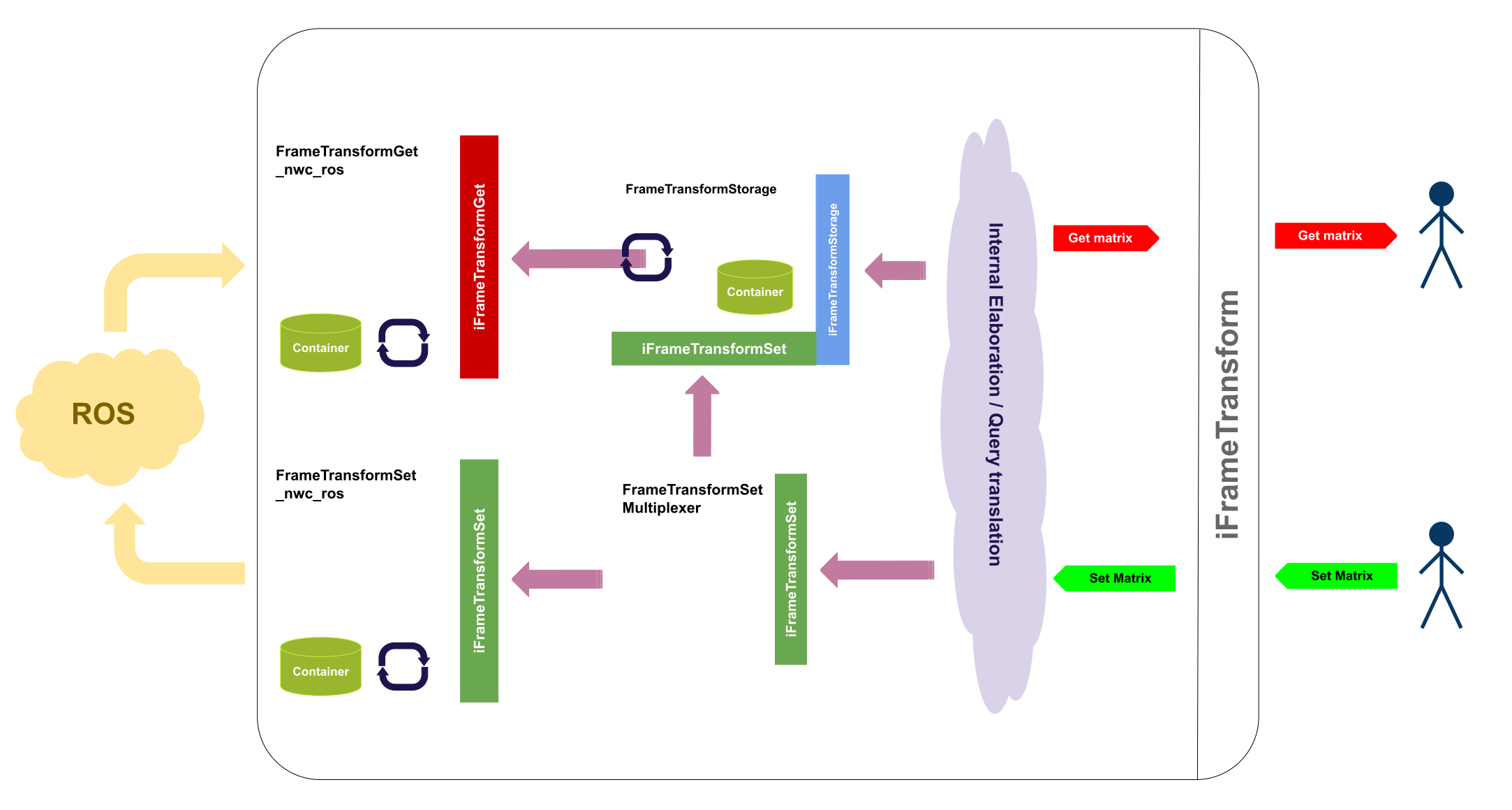
- ROS ONLY This configuration is to be chosen everytime a bilateral communication (publish and subscribe) with ROS is needed.
The picture hereunder shows a simplified schema of the configuration. Command line instructions to use the configuration: yarpdev --device frameTransformClient --custom_config_context ros_frameTransform_config --custom_config_from ftc_ros.xml
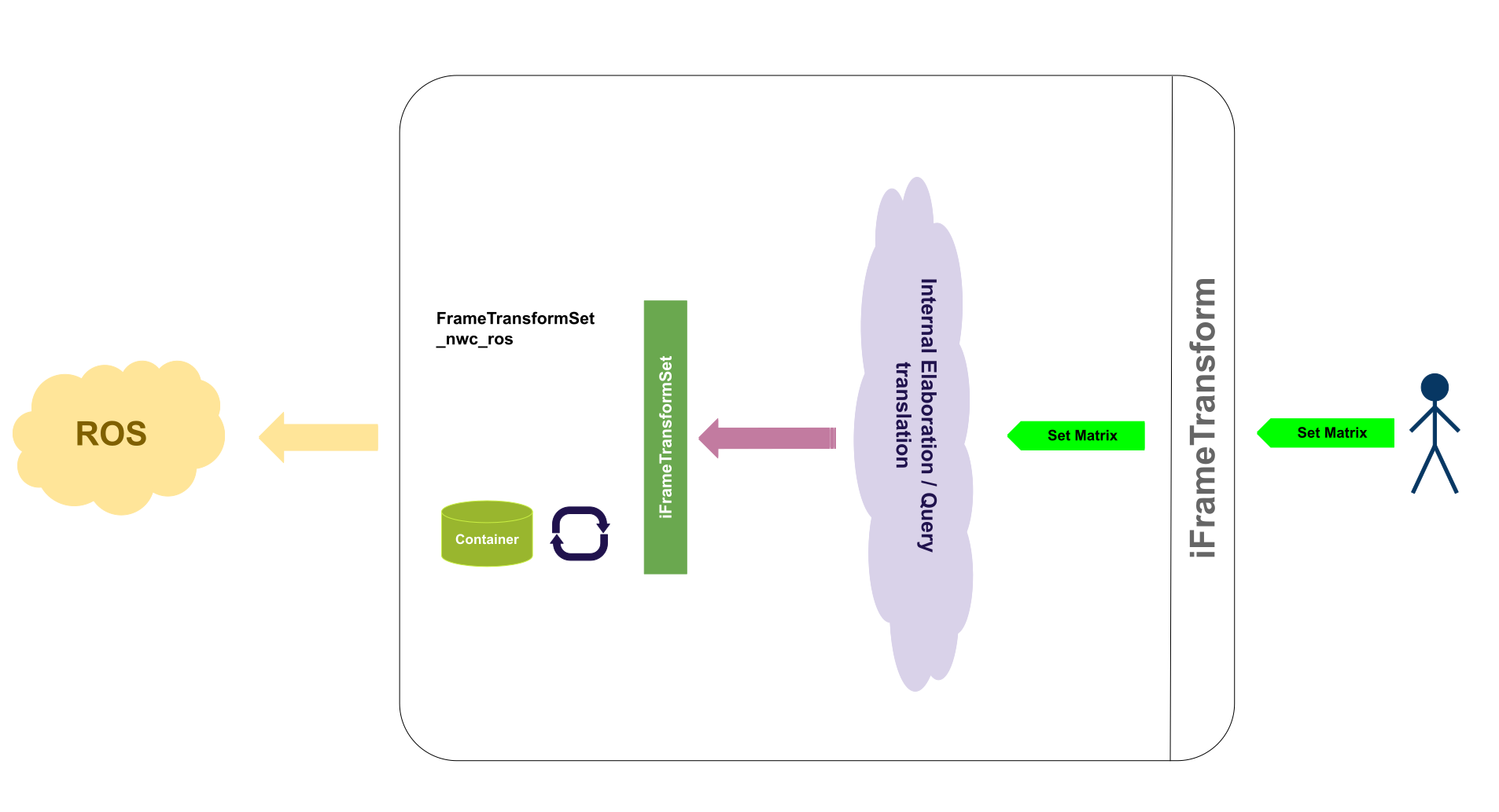
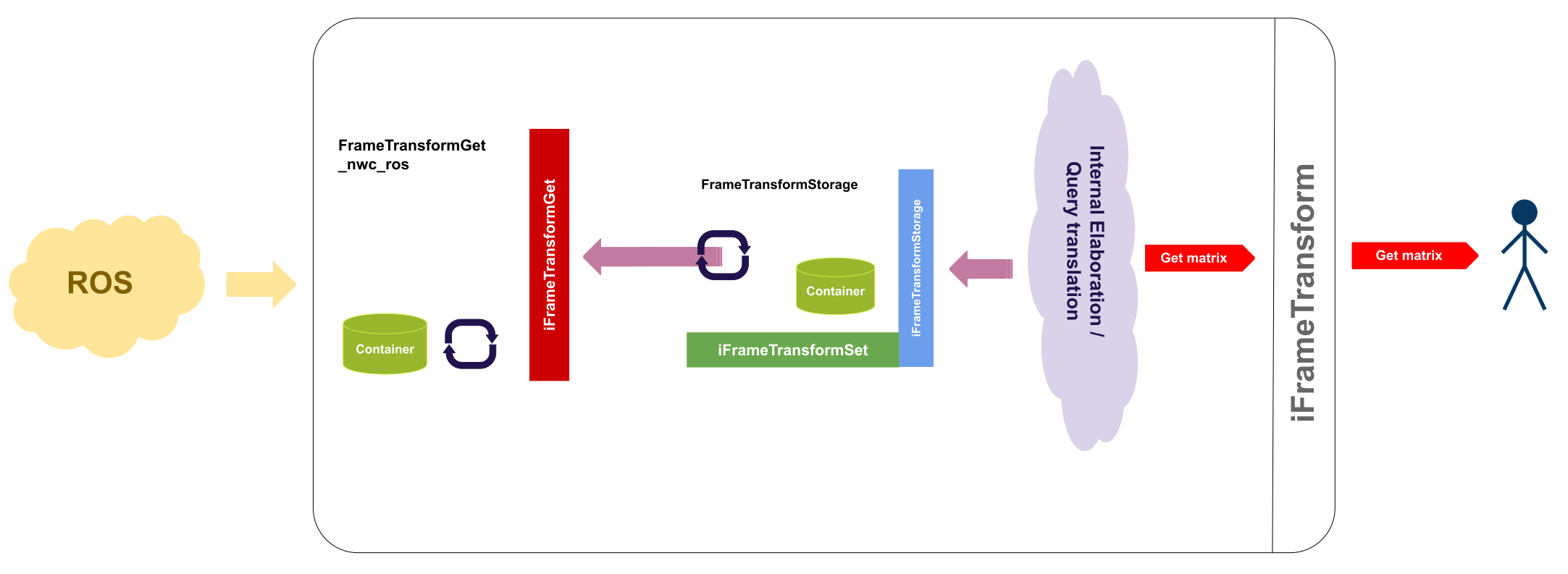
- ROS PUB ONLY and ROS SUB ONLY These two configurations have been added in order to allow a one way communication between the client and the ROS environment, be it publication or subscription. The picture hereunder shows, as in the previous case, a simplified schema of the configuration. To launch these configurations the following commands have to be used:
yarpdev --device frameTransformClient --custom_config_context ros_frameTransform_config --custom_config_from ftc_pub_ros.xml
yarpdev --device frameTransformClient --custom_config_context ros_frameTransform_config --custom_config_from ftc_sub_ros.xml
Client configurations that DO need a Server
The following configurations need, as the section title suggests, a running server component. The appropriate client configuration depends on the running server.
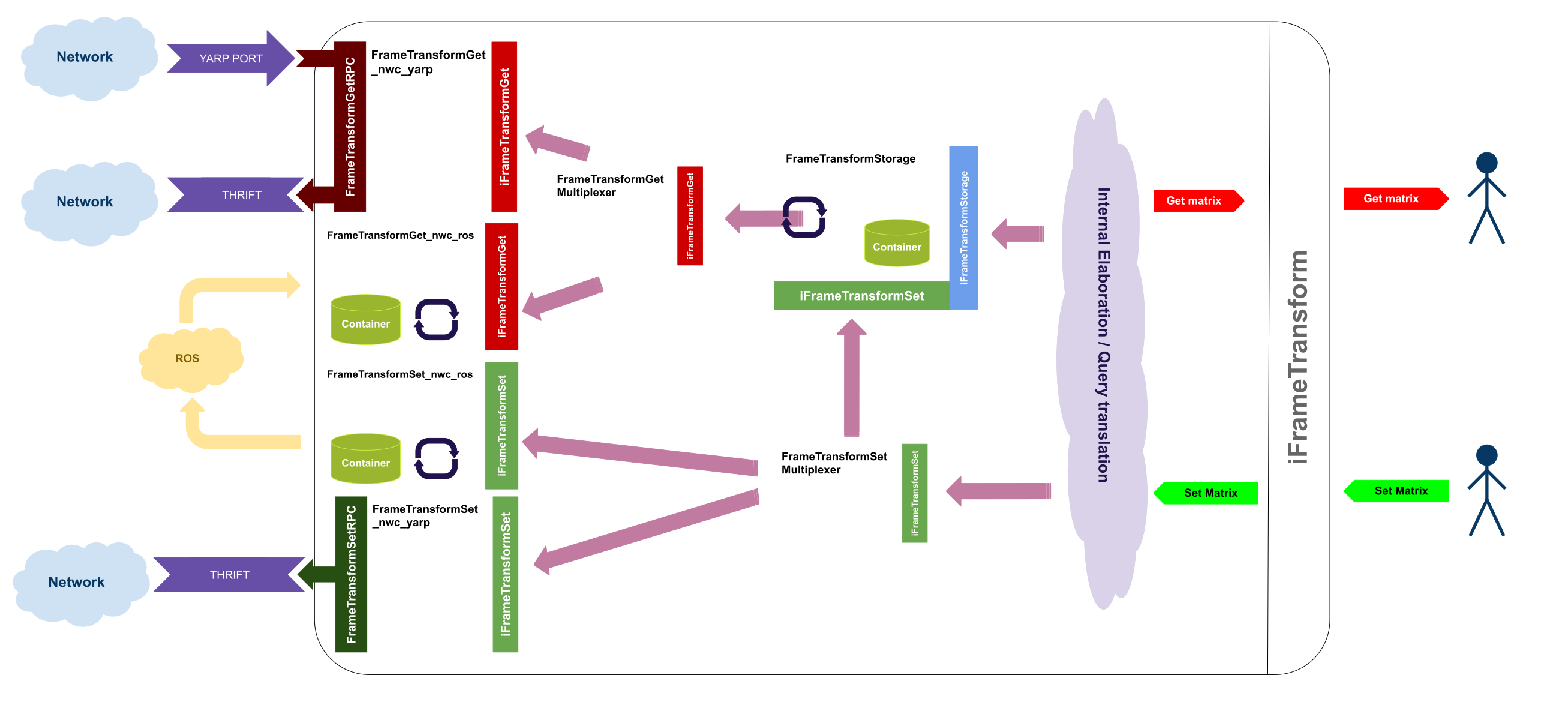
- YARP AND ROS The last available version of the client uses both YARP and ROS.
It has to be used when a YARP only server is running and the client needs to store transform coming from both YARP and ROS.
To launch this client the following command have to be employed: yarpdev --device frameTransformClient --custom_config_context ros_frameTransform_config --custom_config_from ftc_full_ros.xml
- ROS2 ONLY This configuration is to be chosen everytime a bilateral communication (publish and subscribe) with ROS is needed.
The picture hereunder shows a simplified schema of the configuration. Command line instructions to use the configuration: yarpdev --device frameTransformClient --custom_config_context ros2_frameTransform_config --custom_config_from ftc_ros2.xml
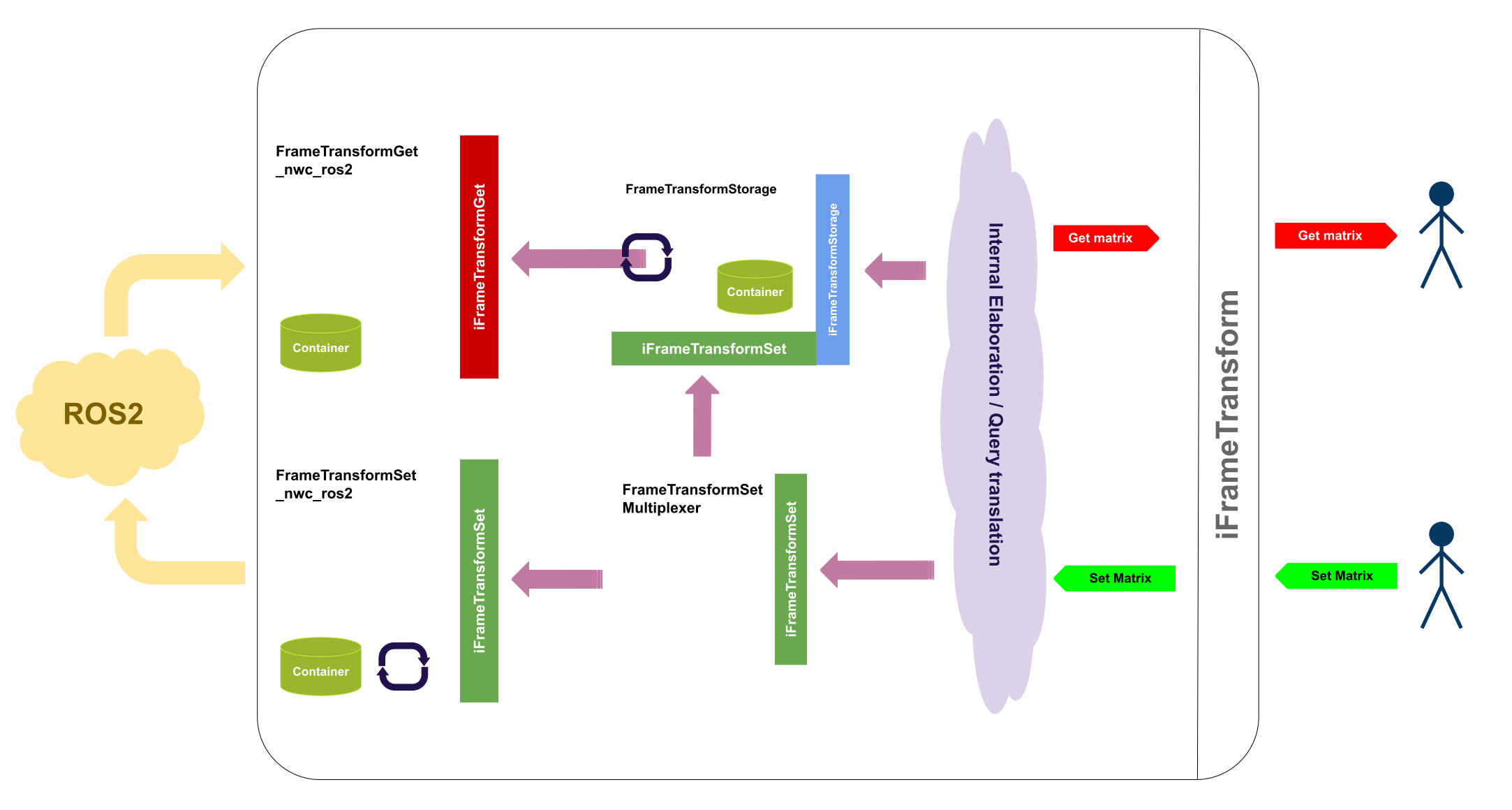
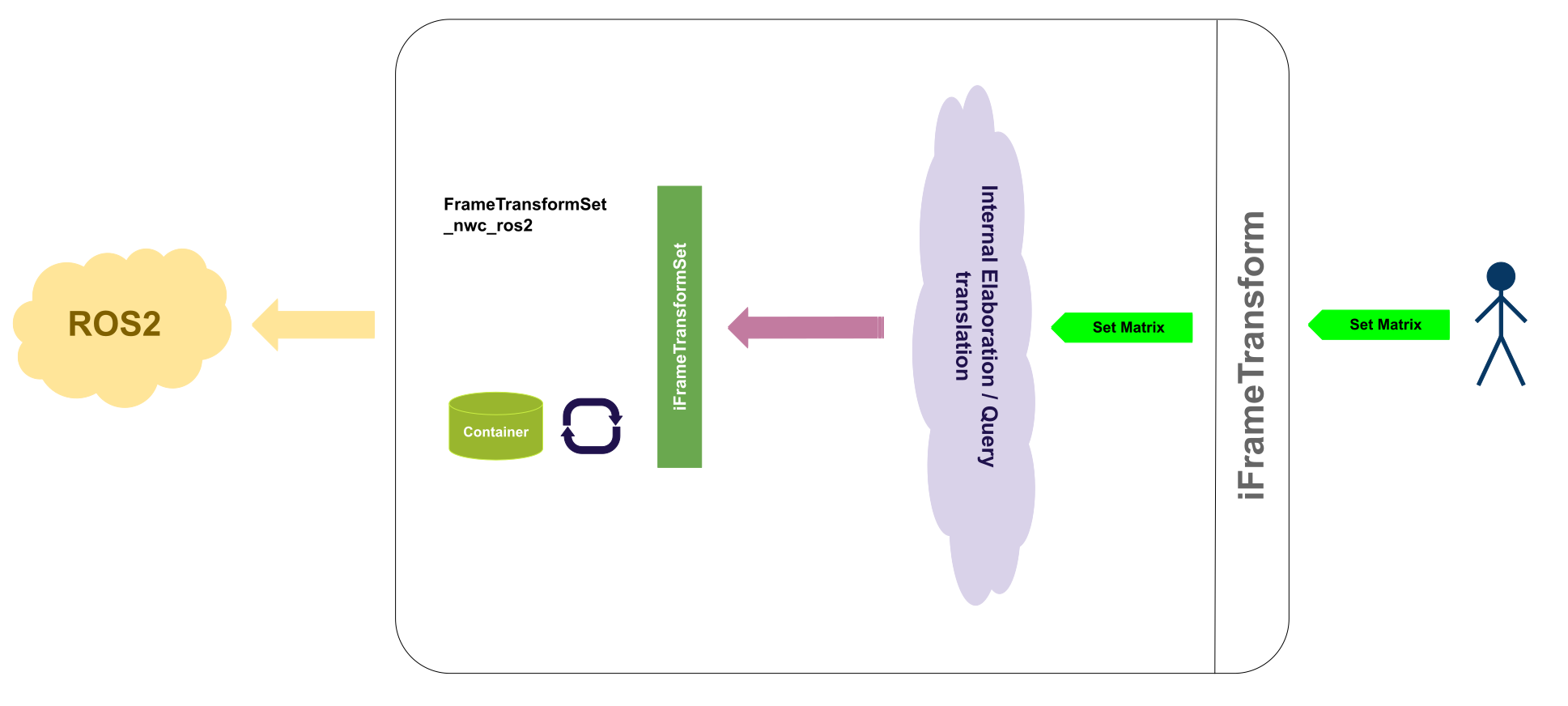
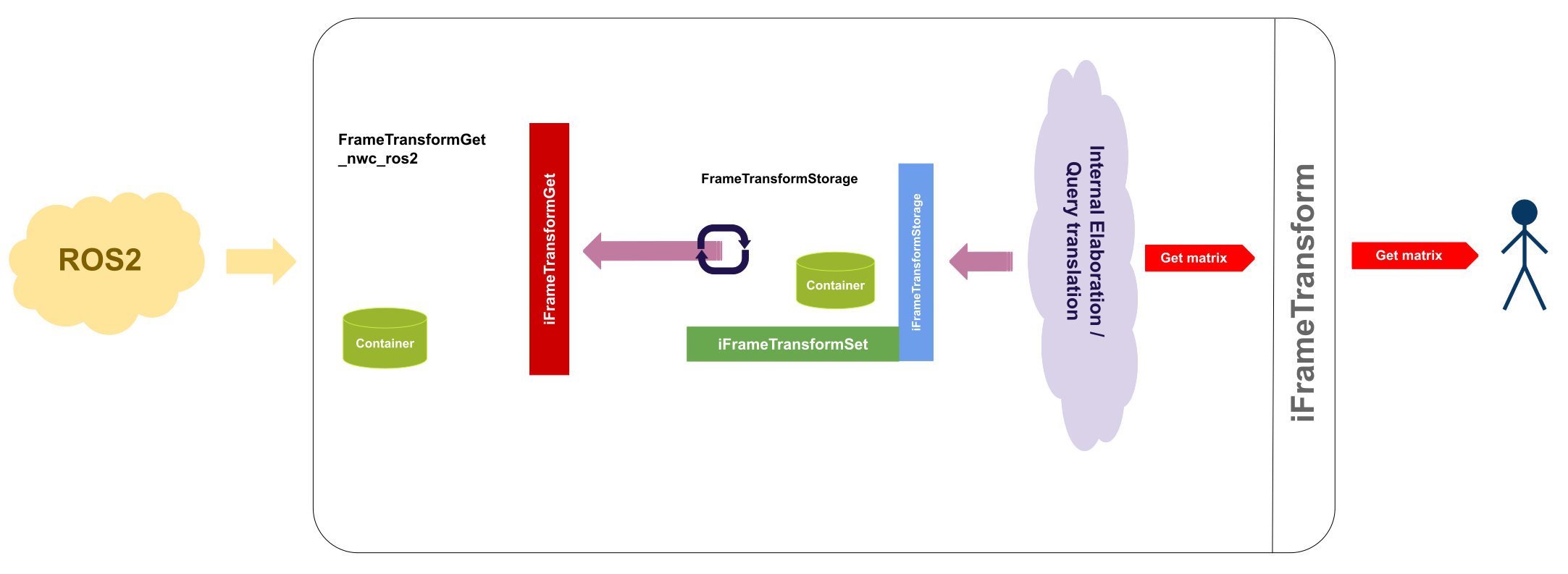
- ROS2 PUB ONLY and ROS2 SUB ONLY These two configurations have been added in order to allow a one way communication between the client and the ROS2 environment, be it publication or subscription. The picture hereunder shows, as in the previous case, a simplified schema of the configuration. To launch these configurations the following commands have to be used:
yarpdev --device frameTransformClient --custom_config_context ros2_frameTransform_config --custom_config_from ftc_pub_ros2.xml
yarpdev --device frameTransformClient --custom_config_context ros2_frameTransform_config --custom_config_from ftc_sub_ros2.xml
Client configurations that DO need a Server
The following configurations need, as the section title suggests, a running server component. The appropriate client configuration depends on the running server.
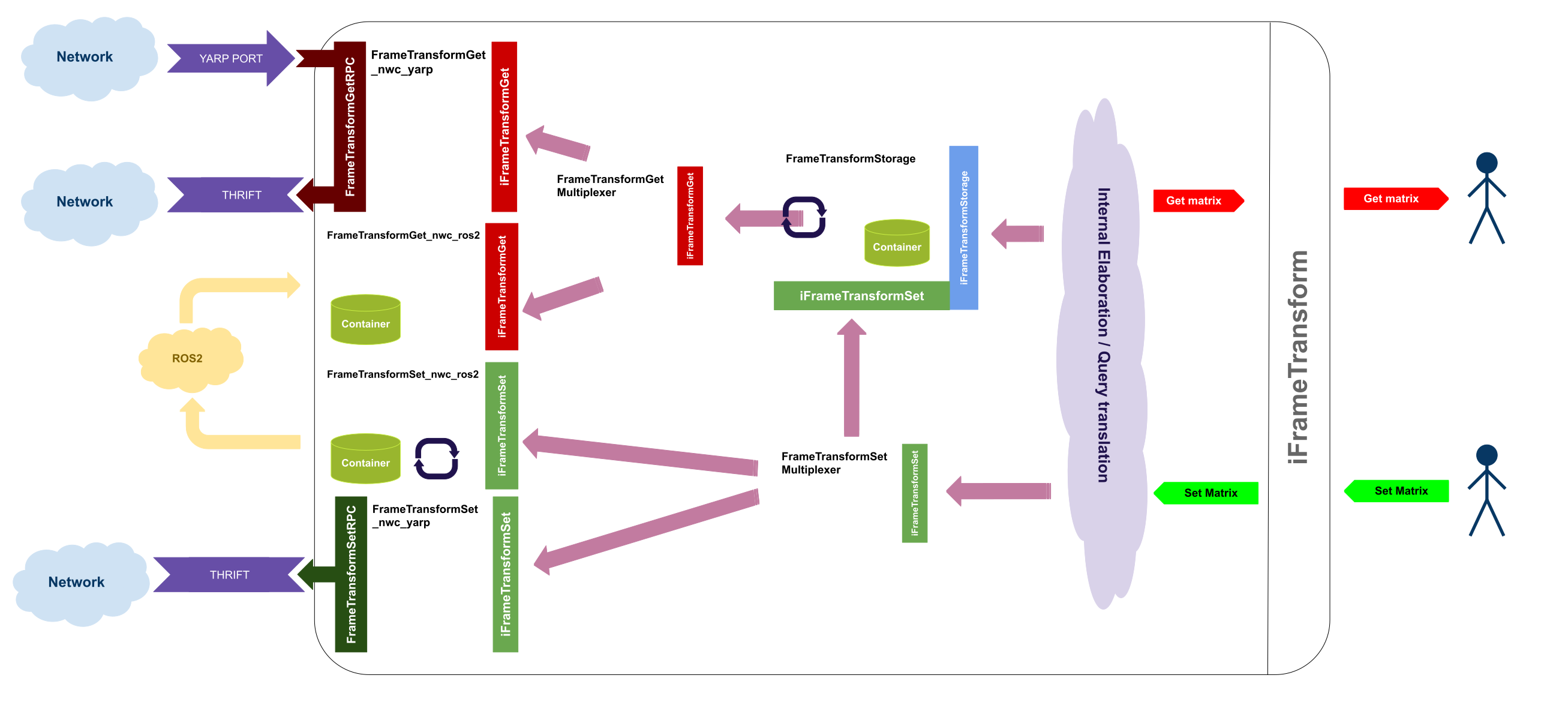
- YARP AND ROS2 The last available version of the client uses both YARP and ROS2.
It has to be used when a YARP only server is running and the client needs to store transform coming from both YARP and ROS2.
To launch this client the following command have to be employed: yarpdev --device frameTransformClient --custom_config_context ros2_frameTransform_config --custom_config_from ftc_full_ros2.xml
FrameTransformServer
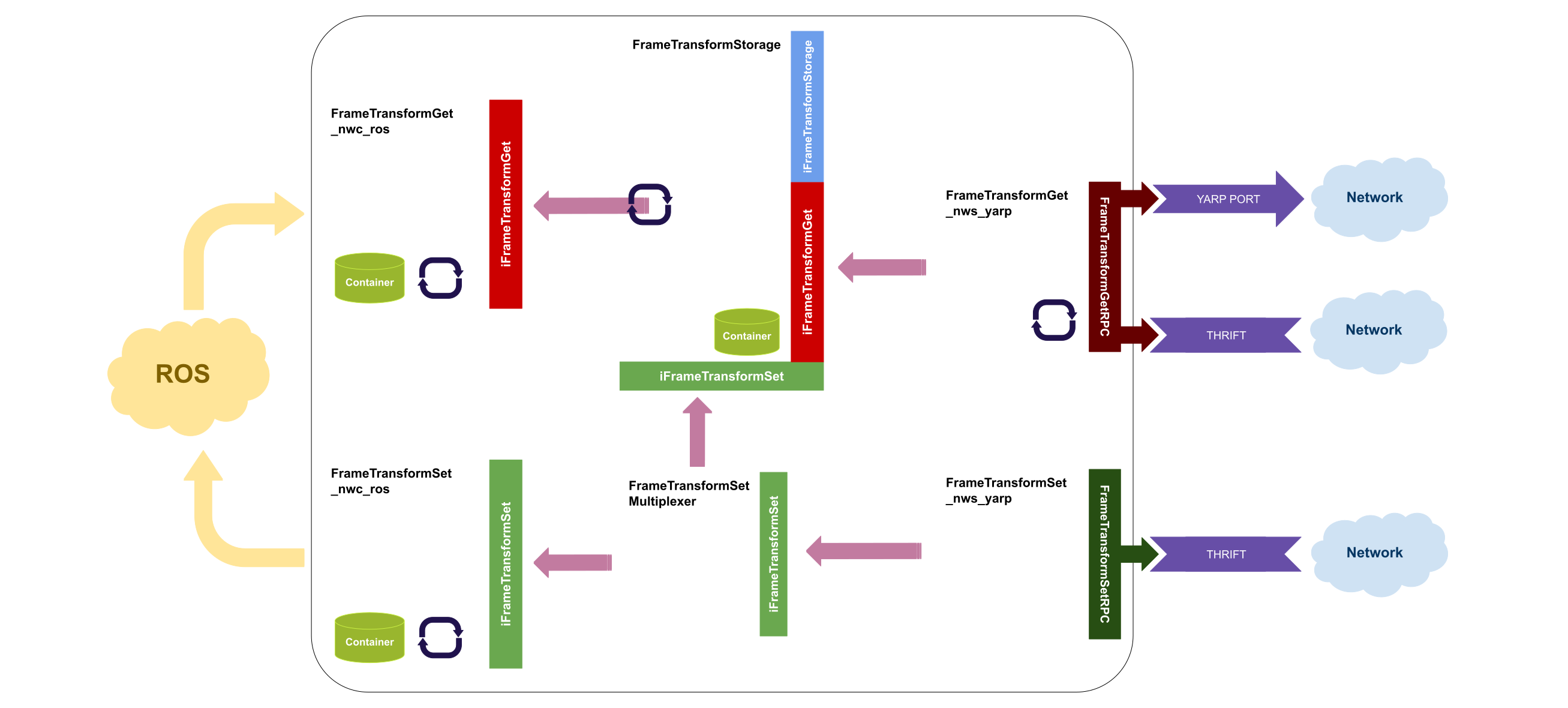
- The first one is the YARP AND ROS configuration.
It starts a server listening to both thrift ports and ros topics, so its updates came from both parts. It has also a small storage inside to update all the clients that connects to it later with the latest transforms.
the code to launch this server is: yarpdev --device frameTransformServer --custom_config_context ros_frameTransform_config --custom_config_from fts_full_ros.xml
- The second one is the YARP AND ROS2 configuration.
It starts a server listening to both thrift ports and ros topics, so its updates came from both parts. It has also a small storage inside to update all the clients that connects to it later with the latest transforms.
the code to launch this server is: yarpdev --device frameTransformServer --custom_config_context ros2_frameTransform_config --custom_config_from fts_full_ros2.xml
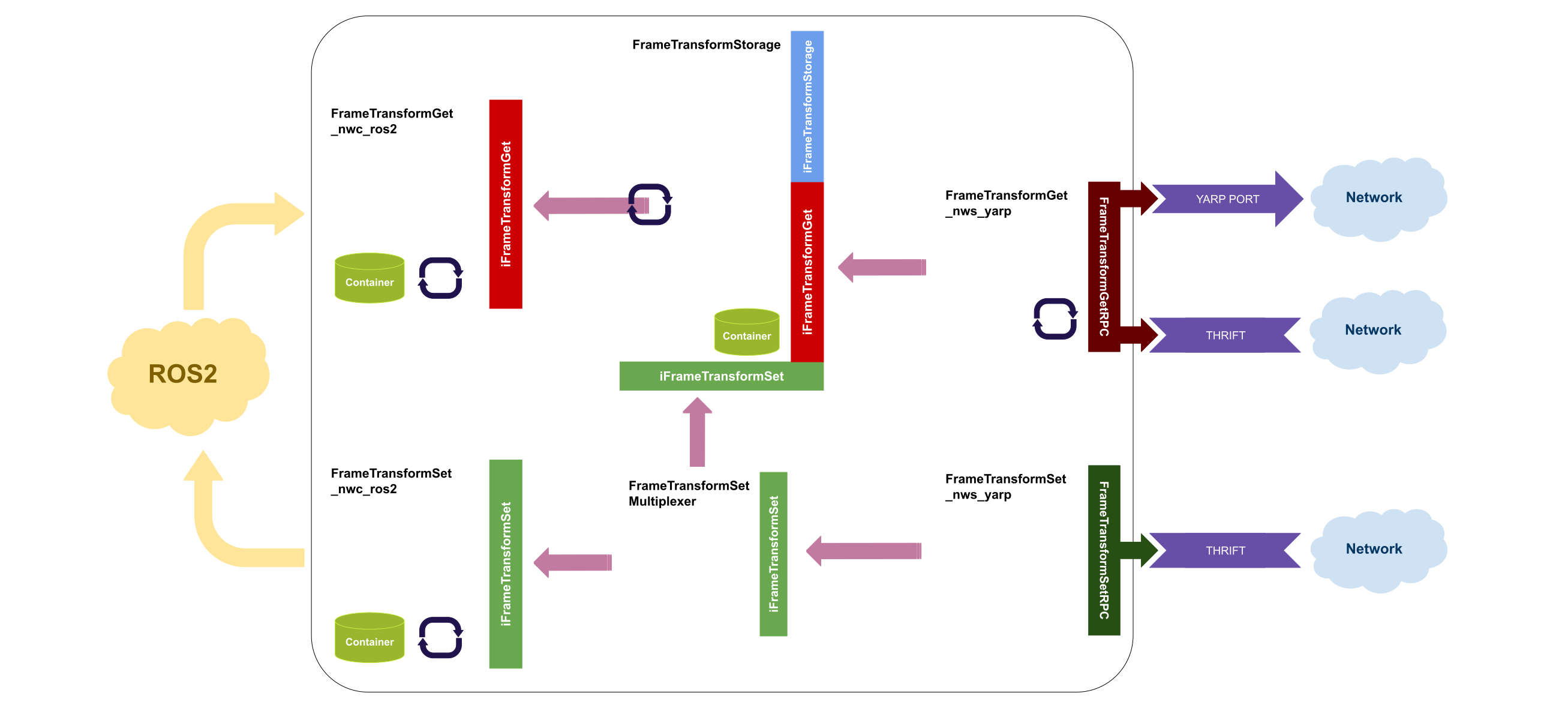


 Collaboration diagram for FrameTransform external: configurations involving external devices:
 1.9.8
