|
YARP
Yet Another Robot Platform
|


|
|
YARP
Yet Another Robot Platform
|
|
Devices that can be created and configured from the command-line. More...
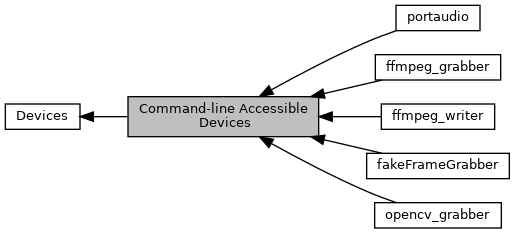
 Collaboration diagram for Command-line Accessible Devices:
Devices that can be created and configured from the command-line.
Generally you can create them with the yarpdev command by specifying a "--device" option followed by their name, for example:
yarpdev --device fakeFrameGrabber
This creates a fakeFrameGrabber device with default options. You will generally need to specify additional options, for example:
yarpdev --device fakeFrameGrabber --width 640 --height 480 --name /test
How do you know what options are available? You can check our list of device invocation examples. Or When you try to run "yarpdev --device yourdevice" and add the "--verbose" flag, it will tell you what options it is checking, and any documentation present for those options.
For example, try running:
yarpdev --device fakeFrameGrabber --verbose
Modules | |
| fakeFrameGrabber | |
| A fake framegrabber, see yarp::dev::FakeFrameGrabber. | |
| ffmpeg_grabber | |
| A wrapper for the ffmpeg library's image sources, see FfmpegGrabber. | |
| ffmpeg_writer | |
| A wrapper for the ffmpeg library's media writing, see FfmpegWriter. | |
| opencv_grabber | |
| A wrapper for the opencv library's image sources, see yarp::dev::OpenCVGrabber. | |
| portaudio | |
| A portable audio source, see yarp::dev::PortAudioDeviceDriver. | |
 1.9.1
1.9.1